Game show hosts!

There is a show called the price is right and it was hosted by Bob Barker and Drew Carey. I believe they have announced a new host for the show?
There is a show called the price is right and it was hosted by Bob Barker and Drew Carey. I believe they have announced a new host for the show?
And this will let Blake Imeson know that the search is updating and he can search for new content pretty quickly.
adsadas
AI tools like ChatGPT are reshaping how people search, not just on Google, but on your website too. If your on-site search still behaves like it’s 1999, your visitors are going to notice.
The last two years have been rocked by the explosion and acceleration of AI. Efficiency in some areas, job losses and gains in others – new tools, job positions, ways of working, etc.
We’re just starting to encounter a new shift – how website visitors search when on a website.
This is commonly called “on-site search” – it is the familiar search bar within a website that you might reach for if you can’t find what you need via the menu. It could also be the search bar atop a Resource Hub, knowledge-base, blog, documentation portal that you use to search out useful information.
How people use this search bar is facing a major pivot.
If you don’t soon pivot with the user behavior change, your site will suddenly be outdated and frustrating your visitors.
It is of course AI usage. More and more people are starting to utilize ChatGPT, Grok, Copilot, Gemini, etc. The tools are being integrated into all the things. (we have a post coming on AI exhaustion…)
What was once an elite play area reserved for brave technologists is now quickly becoming mainstream. My wife uses it, my parents, and many of our clients – even the aged elder boomers! (No offense to the above parties)
Long-form Search Queries
In the previous era, when you needed to use a search bar, you took the concept or question in your head and tried to pare it down and condense it to 1-3 words that you thought might return good results.
You would perform a search like “healthcare trends” or “tuition cost”.

Users are starting to think differently.
New tools are training a new way of interacting.
The new searches are becoming more like “what are the hot healthcare trends in 2025?” and “what is the annual cost of tuition”. The user might even be using speech-to-text so their searches are even more verbose.

The search queries are becoming more specific and they are expecting a best-fit answer.
Can you see the problem?
Right now, most on-site search tools will get tripped up, the more words in the query. The search tools can’t tell which are the important words. It can’t know that you are interested more in content around “trends” than specifically “2025” or “hot” in our above example.
Natural Language Search
Besides just the pure length (# of words) in queries, people are starting to re-adopt natural patterns of speech. Our tracking of search phrases on client sites is starting to prove this trend.
People will now start to search the way they would actually pose the question to a friend. A search for “Prerequisites” becomes “What are the prerequisites to applying?”
When search is AI-powered, it better understands the intent of the user’s search rather than just traditional keyword matching. It can utilize powerful language models to automatically:
Big players like Shopify and Notion are rolling out AI-powered search. Mass adoption is next.
If your visitors expect natural language search and your site falls short, you’ve just delivered a frustrating experience.
Instead, if you have an AI that has indexed your content and can understand sophisticated queries and deliver them exactly the content they need… big win.
Right now there aren’t many easy-to-add or cost effective options for AI-powered on-site search. (Spoiler alert: we are working on something to change that)
Frankly many brochure-type small business sites get very little search volume. For them this may be a low impact issue for a year or two. Eventually all search is going to be AI-driven or at least incorporated to some extent. The use of sentiment analysis and providing true relevance is an inevitability.
I remember when a website being mobile friendly or having an SSL cert to secure it https were optional.
When a visitor sees your search bar, there are subtle visual cues you can provide so they know they can use more sophisticated queries in your search engine.

Placeholder Text
This is the text that shows up within the search input field. Use this to give an example search that is more sophisticated.
Suggested Searches
Consider having 4-6 queries right below the search bar that they can either click to search or at the very least this will give them the idea of the kinds of questions they can ask.
The AI tool nomenclature is prompt suggestion and here is a great article digging into how to do prompt suggestion right.
Bonus: populate these with your most common searches.
Bonus II: Don’t show the suggested searches until after a click on the search input box.
Even a simple (AI generated) mockup shows how these subtle cues can improve search engagement.
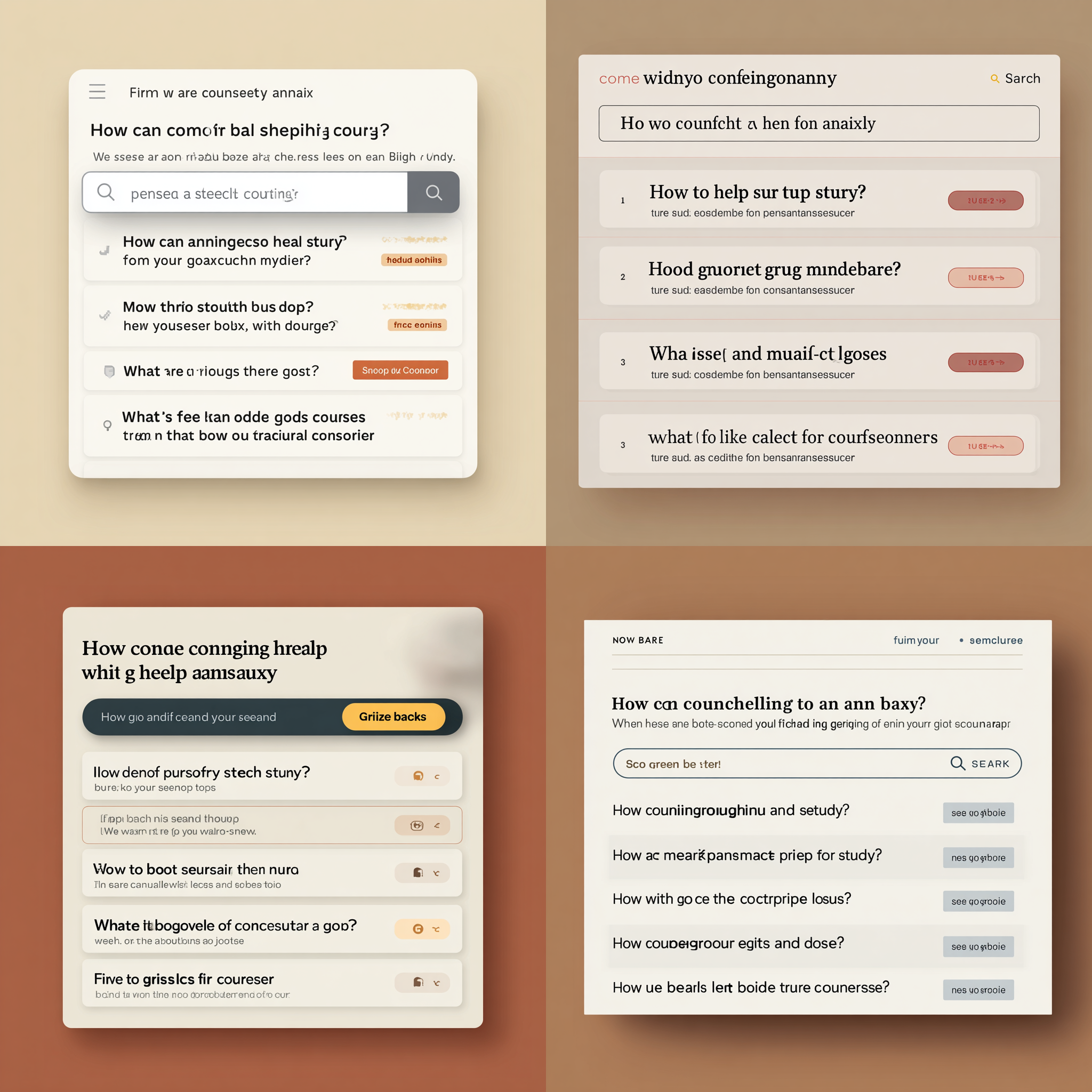
If you type or speak a long sentence but the search bar can only show 2-3 words that could be a challenge for the user.
I think we’re going to see wider (and larger) search bars to allow for long phrases but also visually it is going to tell the user “this is a really helpful tool, use it”.
I like to think of success tracking in three groupings
COMING SOON – Read more in our article “Is Your On-Site AI Search Working? Here’s How to Measure It”
We’re building a tool to make this kind of advanced AI search easy to install, cost-effective, and tailored for WordPress and content-heavy sites.
Want early access? Check out SearchRovr, our answer to On-site AI search for WordPress
Welcome to WordPress. This is your first post. Edit or delete it, then start writing!
Earlier this week, we had a great call with a new contact at an existing client. We were investigating ways to improve workflows and help their team generate more, quality content for their blog. As part of the call, I saw a quick win we could provide that day to reduce friction in editing their content. As a developer, it was something I instantly knew a solution for that a project manager or customer support person might have missed.
A developer’s time can be expensive. Particularly with the way most developers work. Having dedicated time and focus for work is precious. Taking thirty minute breaks to join meetings throughout the day can torpedo their productivity. 4 hours of development time scattered throughout the day is less productive than 2 hours of dedicated time.
Having a project manager, or a “client success” manager, is great to help mitigate this impact on a developer’s time. However, this can be a trade-off in efficiency on the client’s budget. You will not get as much bang for your buck with this approach.
Every agency person just put their coffee down to draft me an angry response! Well, we don’t have comments on this blog so you’ll have to send them in an email.
But, jokes aside, I don’t mean that as a negative against that approach. For most clients, they need a project manager. They need someone who’s primary job is to help define their goals, plan how and when those goals will be accomplished, and manage the team to get them across the finish line.
Additionally, as a client, if you’re worried about the competency, sustainability, and health of your partner agency, you’d be happy to have someone leading in this way.
We first connected with a client nearly a decade ago when their Salesforce agency needed someone on the client’s side to handle website updates related to a special project.
Our client brought us in to develop an API on their sales / checkout process that the Salesforce team could utilize with their connection. We had an initial call with their developer to get an understanding of what they were looking for from us. It was a high-level call where the next step was investigative and would require a follow-up and final approvals on the process from their team.
We never had another meeting with the developer. All communication was done through the project manager and the developer rarely responded directly to emails.
We finally received a plugin of their connection. It was a single php file labeled magic.php.

I was forced to guess what they wanted based on the structure of that file and eventually just modified their code to create a connection that would work.
If you need a developer, you have access to one. We don’t gate keep development resources. In fact Blake and I as “project managers” were pushing pixels before we were managing projects. I’m the lead developer for LimeCuda and if there is a need for me to look into something, give my opinion, or strategize on different approaches, I’m always available to help.
That’s what makes us a little bit different.
Editor’s Note: The below post is written by one of our developers. The theme framework he describes powers many of our current projects.
There are so many WordPress themes out there, it honestly gets overwhelming. I’ve tried a bunch. Some looked great at first, but once I started building, things fell apart. Too many settings, slow loading times, or just that weird feeling like the theme’s working against you. It shouldn’t be that complicated.
When we started using the Kadence Theme with Kadence Blocks, things were looking a little different. The layout builder made sense, the global styles were actually useful, and I wasn’t constantly digging around to make things mobile-friendly. After hopping between builders for a while, I kept coming back to Kadence. I still keep an eye on what’s out there, but Kadence is the one I rely on when I just need to get good work done!
Kadence isn’t just a single theme with everything baked into it. It is a framework with plugins that allow you to add additional features based on your needs for a given project. Using custom fonts? There’s a plugin to make managing that easier. Want to add a full design library and store all your custom layouts for easy reference? There’s a plugin for that!
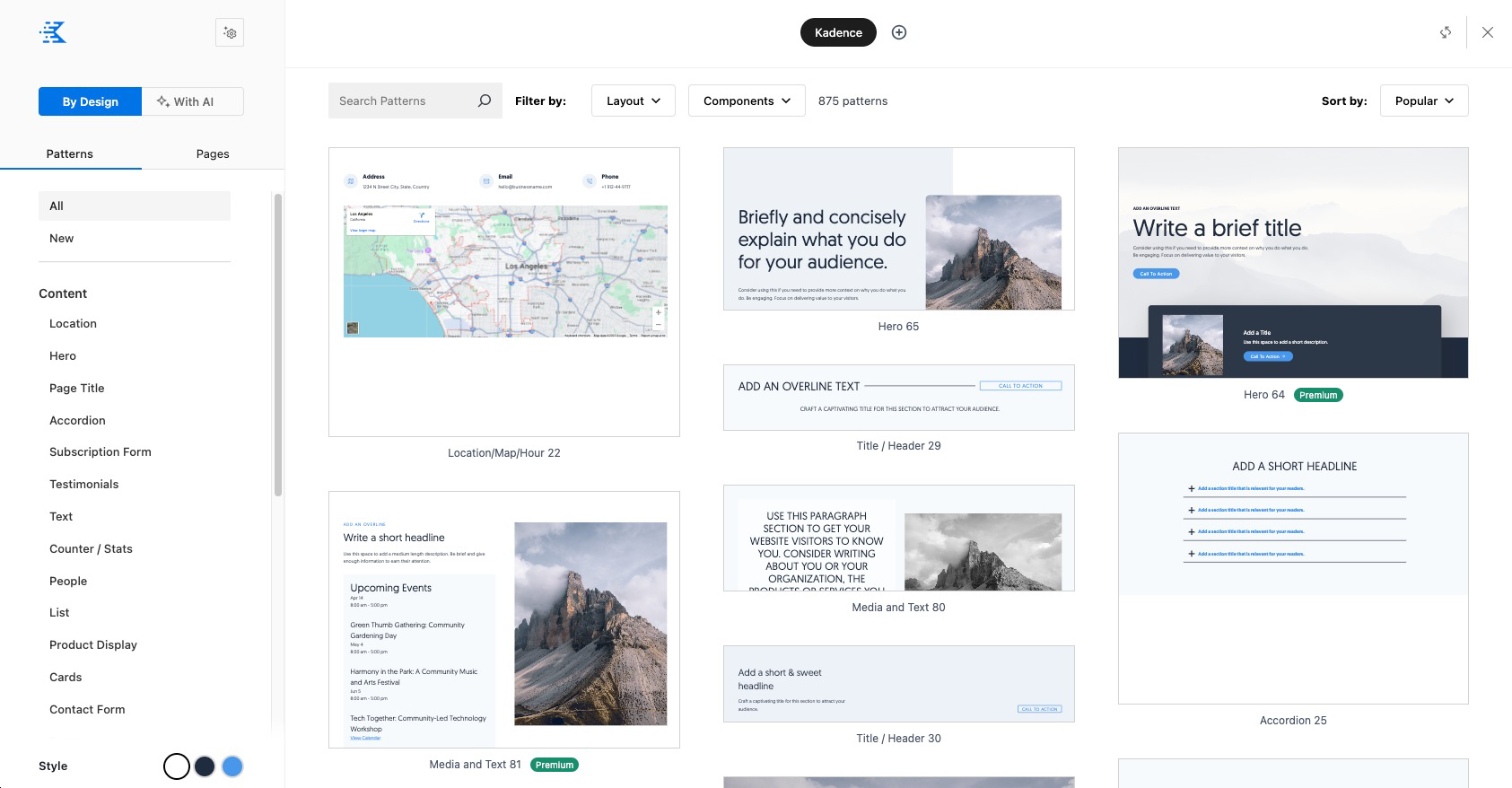
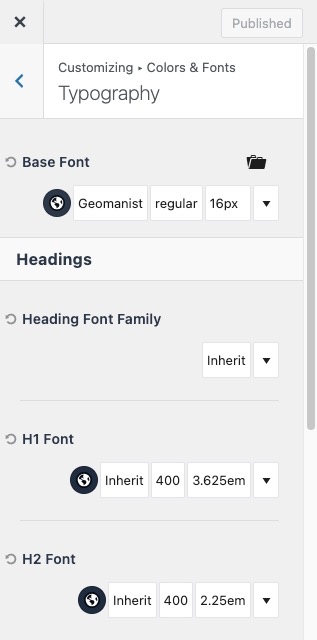
Overall, the framework just feels intuitive. You don’t need to fight with controls or overly opinionated styles to get clean layouts. Whether I’m adjusting global colors, building a custom header, or tweaking blocks for mobile, it all feels smooth and logical. Kadence gives you full control without the clutter.
That simplicity shows up under the hood too. The way it handles its file structure is thoughtful. It’s lightweight, well-organized, and easy to follow when you’re working under the hood. You’re not left guessing where things are or dealing with theme files that feel like a maze. It’s straightforward, which makes debugging or extending so much easier.
On top of that, most of the frontend output is handled through PHP templates which can be filtered using traditional WordPress hooks. That means you can tap into WordPress actions and filters to customize blocks the right way without overwriting core files.
In a space filled with bloated templates and overcomplicated setups, Kadence feels like a clean start. It’s fast, flexible, and helps you focus on actually building something that works.
It’s painful. You might even feel a sense of despondency or cynicism. With just a quick prompt, an AI tool can churn out a surprisingly solid blog post. And, let’s be honest, you might hate to admit it, but it’s not half bad. So… why even try?
I’m here to tell you: don’t give in to the woe-is-me mindset. Don’t give up. You can still compete. You are still needed. If you don’t create, what will the AI models have to learn from? (just kidding, too soon??)
In fact, now more than ever, your humanity is an advantage.
“Real is the currency of the future.”
– Michael Foster
In the age of AI, content is cheap and everywhere.
What sets you apart now is your opinion and your stories. Share those.
“Those seeking success in Google Search should be looking to produce original, high-quality, people-first content demonstrating qualities of E-E-A-T.”
– Google
The fascinating thing about E-E-A-T – expertise, experience, authoritativeness, and trustworthiness, is that these are uniquely human traits. Even when you’re writing on behalf of your company, it’s the people behind it who embody expertise and build trust. It’s people who give your brand authority and credibility.
Yes, we can use AI to help shape our language or explore ideas, but truly valuable content, the kind that connects and converts, still requires the perspective of someone human.
And let’s be honest: people are already tuning out the obviously AI-generated stuff. Someone recently joked that LinkedIn is just becoming a giant feed of posts written by AI, and ignored by humans.
So be real.
Share your perspective. Let your humanity shine through. Maybe your post won’t be a perfectly polished listicle, complete with bold headings and clever emojis—but if it’s you and you have something worth saying, then you are still relevant.
In our last post, we talked about embracing new technologies without having to completely abandon existing infrastructure. For us, finding ways to embrace fast, flexible, and modern frontends while not having to abandon longstanding and well-loved WordPress content management structures for some of our clients has been an enjoyable endeavor.
In many ways, creating page templates for Astro projects is very similar to WordPress, as much as a PHP template can be the same as an Astro template that is.
But there are some key differences to consider…
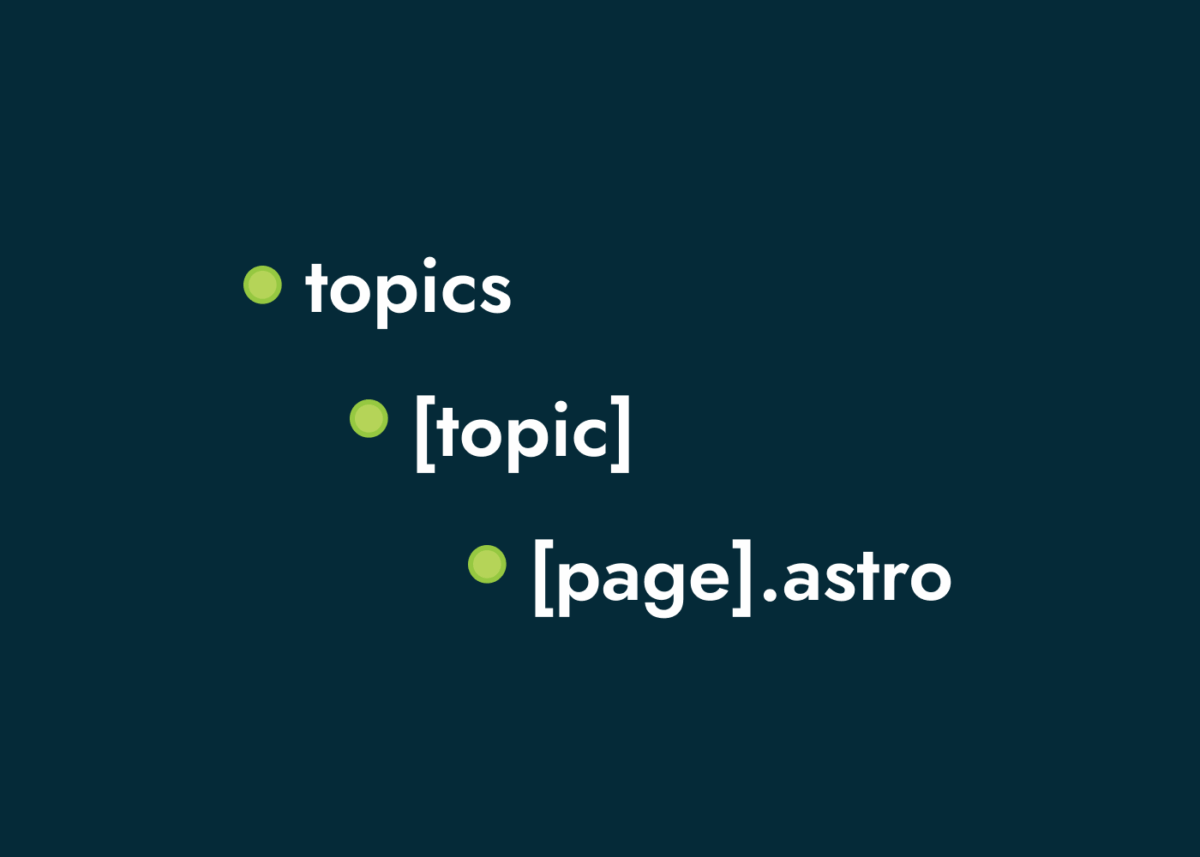
In WordPress, we have a file structure within the theme that maps to the content getting called. Your files and file structure aren’t dictating the structure of your site, they are just responding to a route that has been created and called by the application, WordPress. So, for example, if we have a taxonomy we’ve created for “topics”, the application will create an archive for topics. Us creating a file called archive-topic.php doesn’t tell the system to create that route, only that when that route is called use that template. If that file didn’t exist, the system would look for a generic archive.php template and render the content with it.
With Astro, you have a little more control (some would read that as responsibility) in creating the structure of the site. We can create folders, dynamic routes, nesting, etc. to tell the application what the structure of the site will be and give it templates when building the content we define. At every file where content will be created, we add a getStaticPaths method that tells the application what content we want to build with that template and to generate those pages.
So, when we use an application like Astro to create a frontend with our WordPress content, we have to do a little more work to create the term archives that are automatically created within WordPress.
return Astro.rewrite(`/topic/${topic}/1`); Here is a breakdown of our paginated archive paths using this approach.
export async function getStaticPaths({ paginate }) {

  const topics = await getCollection("topics");
  const resources = await getCollection("resources");

  return topics.flatMap((topic) => {

    const filteredPosts = resources.filter((post) => {

      const topicNodes = Array.isArray(post.data.topics?.nodes)
        ? post.data.topic.nodes
        : [];

      const slugs = topicNodes
        .map((topic) => topic?.slug || "")
        .filter(Boolean);

      return slugs.includes(topic.data.slug);

    });

    return paginate(filteredPosts, {
      params: { topic: topic.data.slug },
      props: {
        topic: topic.data.slug,
        name: topic.data.name,
      },
      pageSize: 16,
    });
  });
}
Curious about other templates when switching to a headless approach? Drop us a line and we’d be happy to chat.
Have you ever watched Silicon Valley? It is one of my favorite shows that I do find myself revisiting every couple of years. The secondhand cringe watching these characters fumble their way through building a startup is just wonderful.
The intro for the show includes animations that evolve each season showing real brands come along, grow, and then fade away in a quick time lapse. The era we’re currently living in with AI, the speed of these changes is no longer a time lapse, it’s real time!
It seems like every week there are upgrades, new tools, approaches that could literally re-define how we work. We’ve seen, at almost every level, people hitting the “ngmi” (not gonna make it) mantra and the existential fear associated with it.
Don’t get me wrong, we need to pursue, investigate, and implement AI today. It is a powerful tool and the applications are almost limitless to help us become more effective and efficient in all that we do. We are only limited by our creativity. The problem is, with all the rapid change, we can be easily tempted into crippling ourselves with opportunity. There is so much we could pursue but how much should we pursue? And, once we start pursuing, we can’t abandon it for the newest tech that releases each week.
AI is a tool that completely upends how we work. But, fundamentally, the what that we’re working on is essentially the same. There are some silver bullets out there, but your business, organization, career wasn’t built on silver bullets, hasn’t been sustained by silver bullets, and won’t be made or broken by whether or not you choose the right silver bullet in this rapidly changing world.
Focus on the fundamentals of your business! You have a product/service you’re selling to your target audience. You have a message that you need to deliver to the right people at the right time. You want to deliver that product in the fastest, most efficient way possible with the best possible customer service.
Deciding which tools to use should be centered around helping you perform these fundamentals better, not on chasing the shiniest new toy.
There are so many new, shiny tools for us to use! And to be honest, I do enjoy playing with them. But, the fundamentals of a good website and a good web strategy are still the same. Do we implement tools and processes that help us to perform those fundamentals better? Yep! Do you need to completely upend your tech stack to use the latest and greatest? Nope!
One of the greatest benefits of the many frameworks that we have available to us, is that you can start to embrace new technologies without completely upending what you’re currently doing. Using WordPress and want to switch to a headless frontend so you can utilize more AI coding directly? Use WPGraphQl and a framework like Astro to take all of your existing content to a new frontend. Have an existing site but want to start building targeted landing pages using a dedicated AI platform? You could proxy the pages through your existing site and utilize both!
With all of the excitement and noise we see everyday, it can almost be overwhelming and crippling. Don’t let it get the best of you. Remember: