adsasda

adsadas
adsadas
Welcome to WordPress. This is your first post. Edit or delete it, then start writing!
One of my dear mentors hammered down this concept in a class on “E-Commerce”. When people come to your site there is a “scent” they are following, much like a bloodhound. Within seconds of coming to your website they must see things that tell them they are on the right track
Words Matter.
Imagery Matters.
Don’t let them lose the scent!
Your title should instantly communicate what the page is about. Avoid vague or overly clever names that might confuse visitors.
Think about how potential clients or employers search for work like yours. Including relevant terms helps with SEO and makes it easier for users to find your page.
Examples:
If your work is specialized, your title should reflect that to attract the right audience.
Examples:
If you have impressive credentials, consider including them to build credibility.
Examples:
A long, cluttered title may lose impact. Stick to essential words that clearly convey your message.
Keep in mind the URL, which should match the page title e.g. .net/projects and .net/project/name-here
Think about if the singular form that you’ve chosen still feels as right as the archive / showcase page.
e.g. Our Work, About Us, Contact Us,
This can be more human, relational, and purposeful but it is also not as formal, clean, and professional. It is entirely a legitimate direction, it is just on the Friendly side of the continuum with stiff being the opposite end.
Your portfolio title is more than just a label—it’s the first impression potential clients or employers have of your work. A clear, keyword-rich title improves discoverability, sets expectations, and helps position your expertise. Take the time to craft a name that reflects your strengths and makes it easy for the right audience to find you.
What are the “next steps” we should be encouraging the users to take after they read a post?
If so, does that vary by post?
This question can impact some design and functionality but more importantly it could impact your business’s bottom line.
They’ve read the content, found it of value, now what? Do we want them to…
The answer(s) to what you want a user to do after reading your content are going to be different for everyone. BUT whatever the case, this is a very very important question to wrestle with.
A great blog post doesn’t just inform—it guides the reader toward what to do next. Without a clear next step, even the most engaging content can become a dead end. Whether it’s prompting readers to explore related articles, download a resource, sign up for a newsletter, or take action on your product or service, a well-placed call to action keeps the momentum going.
Every blog post should have a purpose beyond just being read—think of it as the start of a conversation, not the end. By giving readers a logical next step, you turn passive readers into engaged users and, ultimately, into loyal customers.
Instead of uploading a file named DSC3856223.jpg , name it using keywords. If this was a post on blue widgets I would name it blue-widgets.jpg
Some rules for naming image files… (these also apply to URLs in general)
Before uploading an image, rename it with a clear, relevant filename that includes keywords.
Alt text helps search engines understand the image and improves accessibility for visually impaired users.
<img src="healthy-breakfast.jpg" alt="A bowl of oatmeal with fresh berries and almonds">WebP – A modern format that provides high-quality images at smaller file sizes.
JPEG – Best for photos and images with lots of color.
PNG – Ideal for images requiring transparency but larger in size.
We’ve written an entire post on How to Properly Pre-Process and Optimize Images for WordPress.
Our favorite tool for compressing and resizing is Kraken.io
Google considers the text around an image to determine its relevance. Ensure your images are placed within meaningful content that supports them.
Optimizing images for SEO isn’t just about making them look good—it’s about ensuring they enhance your site’s visibility, load quickly, and improve user experience. By using descriptive filenames, keyword-rich alt text, and the right file formats, you help search engines understand and rank your images better. Compressing images, leveraging responsive design, and using a CDN ensure fast load times, while structured data and image sitemaps further boost discoverability. When done right, image SEO can drive more traffic, improve rankings, and enhance user engagement.
Being in this game for over a decade with hundreds of clients, we’ve seen a support request or two in our time. In a given week we get dozens of requests.
How well-pulled-together the request is, directly equates to how quickly we can resolve.
Here’s how to compile the PERFECT support request for us or any Web Development / Design or Marketing agency.

Sometimes we have to waste a few round-robins of emails just figuring out basic details. Let’s play baseball, not ping pong 🙂
State the need / issue as clearly as possible in the email subject line.
In the email body please give us:
For many bugs we need to know what browser you are using and what operating system. Does that sound like mumbo jumbo? Here are some examples.
If we aren’t able to replicate the issue it can be really challenging to solve.
Cache is the bane of our existence as web developers. At multiple levels your computer / browser, our server all “cache” (store) parts of sites in an effort to speed up the experience. Sometimes these can get stuck or need to be proactively cleared.
The ultimate is completely clearing your browser cache but sometimes you can just reload / refresh a page or go a step further with a “hard refresh”…
ctrl + f5 on most Window’s browserscommand + r or command + shift + r on MacClear cache before reaching out and then, if the issue persists, let us know you cleared your cache already.
Some weeks we live like a M*A*S*H unit playing triage. You’ll be glad we prioritize critical business-affecting fixes over trivial ones if you ever find yourself in an urgent situation.
Doctor Mallard: “Get this website on the operating table now! Nurse, get me 3 lines of CSS and a shot of espresso. “
If we know when you are expecting help we can more easily fit you in. Our retainer clients who have us reserved for a certain number of hours a month get our most immediate attention but we do our best to attend to all issues with expedience.
If you are one of our clients I don’t even need to say this as you guys rock.
Remember on the other end of the email is a human being, much like yourself, with all kinds of life pressures, workload to balance, and daily stressors.
It makes our jobs easier knowing you appreciate our efforts and value our time.
Be kind and remember that the brevity of email, while efficient, doesn’t do much to convey tone or attitude. Be generous with the emojis and animated gifs, they brighten our day 🙂
In this final post of the series we dive into the rankings and strategy of building a new website. Part 1 was on Branding & Design, Part 2 was on Sitemap & Content.
SEARCH ENGINE OPTIMIZATION
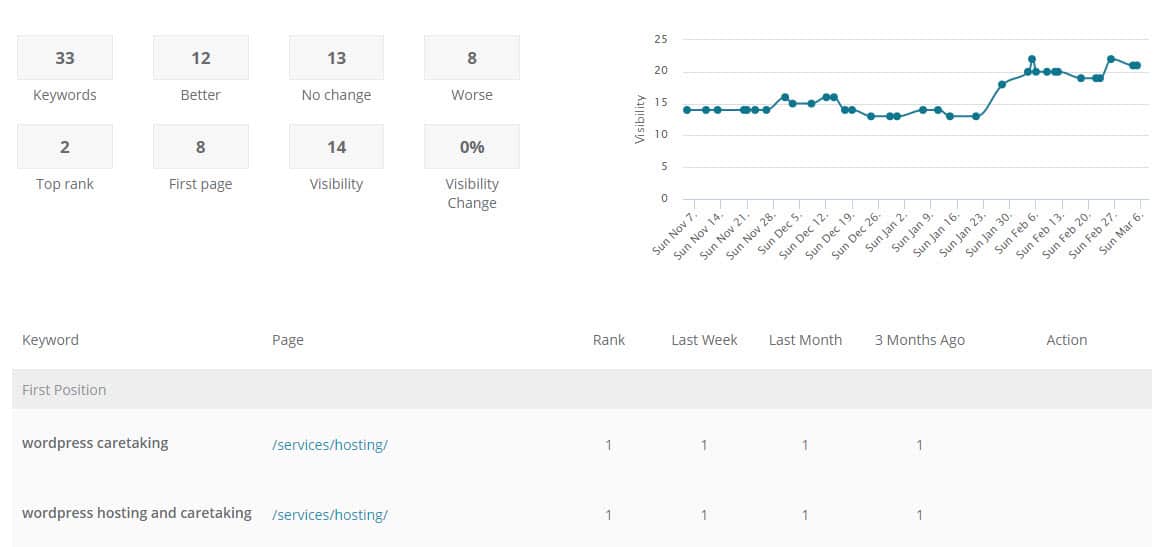
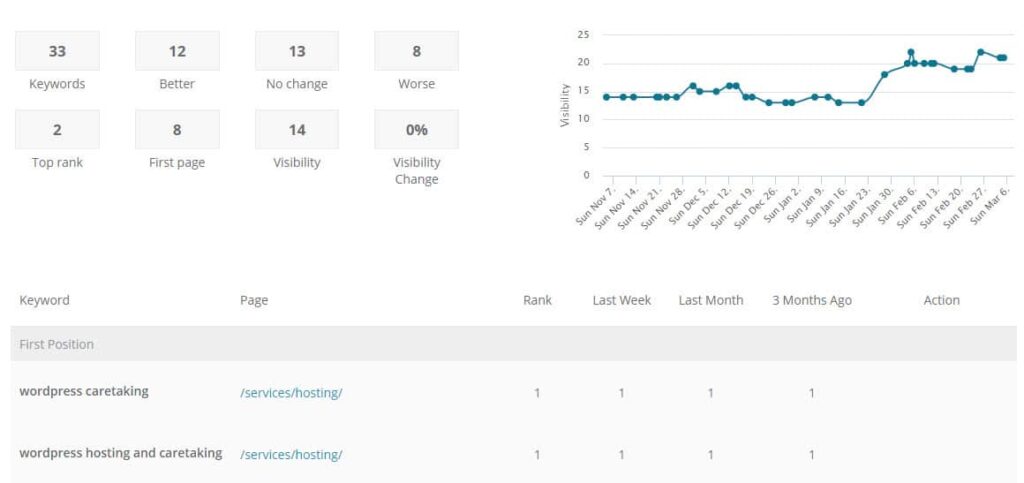
We recommend starting to think about the phrases for which you should be ranking in Google. When identifying keywords think about…
Especially early on, we recommend striving to rank for the most relevant and specific keywords. There will be less traffic, true, but it is better traffic! The competition should be lower as well so gaining traction with rankings is doable.
SOCIAL MEDIA
Are there Social Media pages to which you need to link? Should you be encouraging your content to be shared anywhere? e.g. LinkedIn, Facebook, Twitter, Instagram, Pinterest, etc.
EMAIL MARKETING
Email is still the most effective tool in most online marketing toolkits. You may need to consider how you will collect email signups and what service you will use to send and track bulk email.
One of our favorite tools for email marketing is MailChimp.
STRATEGY
Hopefully you started this whole journey considering the website’s purpose and strategy; that determines all the above and a lot of what we went over in our two previous posts. (Part 1: Branding & Design, Part 2: Sitemap & Content.
The final step is figuring out what you are going to consider a “conversion” or success on the site. A good technique is to ask yourself “what would success on the site look like 5 years from now?” and then work backwards so you have somewhere to start working and an idea for what to track.
Assemble a list of what you will consider a success / conversion. Here are some ideas:
There is much to think about when building a new web presence from the ground up. It is exhilarating but can be daunting. Take it in small bites and consider it a continually evolving tool.
In Part 2 of our series we look at Sitemap & Content. Missed Part 1? It was all about the groundwork, branding, and design.
You’ve now spent some time thinking and planning a design for your new site, now we get into the actual pages and words within the site. Design is critical, yes, but here is how you share your story.
SITEMAP
A sitemap is most simply a list of the primary pages on your website. There is usually a hierarchy with top-level and sub-pages. Your top menu will end up being a slimmed-down or best-of version of the sitemap. A sample sitemap looks like:
How many pages do you need on your site? As a general rule, we’d say as few as possible. If you are trying to cram too many ideas or too much info on a page, then it might be best as its own page. But in general, keep your sitemap lean, understandable, and something as easy to get a sense of as possible.
TEXT
Once you have your starting Sitemap identified, you need content for each of these pages. These words on a page will live within a certain design layout and might make use of photos, videos, and graphics.
The text is a key part of telling the story. It is also a key part of ranking in Google (more on that below)
PHOTOS
Having great photos dramatically helps a site feel well done. Ideally have a professional photographer take pictures but carefully chosen stock photography may also be used. We use BigStockPhoto for stock images.
PULLING IT ALL TOGETHER / LAYOUT
Once you have the text, photos, graphics, videos, etc. it is all about putting them together into a consistent layout.
Writing good copy is hard. Probably just as difficult is then transposing it into a page layout that your audience can follow.
Remember, people scan on the web! Make your content easy to follow by carefully using these tools within your web layout toolkit:
…and MOST KEY, once they have made their way through the page, is there a next step? Don’t forget what you want them to do! Is there more content to go deeper, a call to be scheduled, an e-book to download or a contact form to fill out?
Starting from nothing and helping build a new website that has never existed before is one of our favorite endeavors at LimeCuda. All that exists is a blank canvas and we get to be the first artists to create an online portrait of a business or organization. The rush is like some caffeinated pill of creativity.
About to begin that new website journey? This article explains the first of three high-level areas to start thinking about.
You need to have a company / organization name, yes, but what about the domain name? This is a critical decision that will follow you for years.
Does it need to be a .com, .org, or something else ? How long will the name be? Are there misspellings to capture? Is it readable? Find available names (and purchase) using a registrar like GoDaddy.
AUDIENCE
Spend some time writing out what the audience(s) of the site are, what you should communicate to them, what they expect, what they will need to do, and what are the next steps you want them to take.

You need a professional logo. If hiring a branding agency or graphic designer isn’t an option you can use something like 99Designs to get a great logo / brand for hundreds instead of thousands.
Ideally, you have firmed up the following design elements by the start of the project:
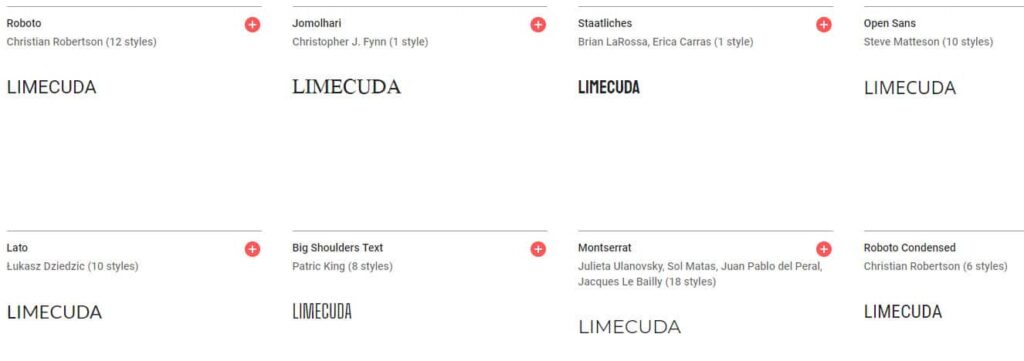
FONTS
Use web-safe fonts like Google Fonts. A typeface can dramatically affect the feel of a website. Make sure it matches your brand personality.
COLORS
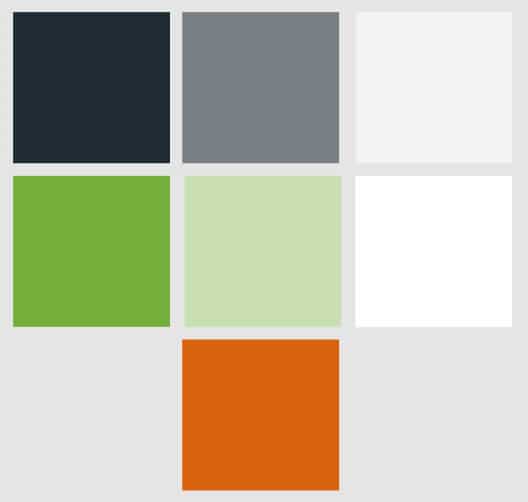
Color says a lot about a brand. Used effectively it is a powerful tool. You will end up needing to have color codes like #96c940 you can use on the web.
Think about what colors will be used most predominantly – will the site feel dark or light? What color would be most ideal for a Call-To-Action color e.g. buttons?
You can use a free color palette generator like Adobe Color to to generate a color ideas.
LOGO VARIATIONS
You’ll likely need full color, black and white, small versions for Social Media, perhaps different versions for horizontal and vertical, etc.
Ideally get source / vector versions from the artist to give you flexibility with scaling or with other people working on the brand down the road.