We’ve done a lot of WordPress blog optimization work – this last year in particular. Here are 5 solid ways to fine-tune your blog.
Make it fast!
Yes, users expect your blog to be fast. Faster blogs generate higher engagement, more page views, and are much better at driving that blog traffic to your primary “Calls To Action” and services.
Be intentional with your blog post SEO
Your blog is a marketing tool but how do you generate good, new traffic to your blog? This is a very weighty topic, but being intentional with your blog post SEO is key to generating more organic traffic to your blog.
Interlink blog posts
Interlinking blog posts is a great way for you to tell Google what your content is about. It helps to tell Google that this post is a valid and authoritative source of information on the “linked topic” (the text that you used as the link. Like “Interlinking blog posts” in the sentence above.)
Have interesting imagery
Let’s face it, we’re very visual creatures. Yes, the content of your blog is what’s important, however, having strong and engaging visuals helps to get people pulled in and connected with your content. Not sure where to start finding good imagery? Check out our post on how to find good blog images. (see what we did there? #2 above)
Drive towards a goal.
Why do you have a blog in the first place? For some people, the blog content engagement is the goal. To have users engage with and share the content is the primary goal of the site and layout. For example, that is the case for Rachel Shultz and her blog “On Homemaking” or Jim Cutler’s Vlog. Your site may have many secondary (but important) goals like: pageviews, ad revenue, brand exposure, building an email list, selling an eBook, etc. etc.
For many businesses, the blog is just the starting point for the “what’s next” that they would like visitors to pursue. Not establishing and driving towards a goal is a waste of your blogging efforts. Ultimately, you want a customer, an advocate, and brand loyalty – not casual bystanders that have no push towards further engagement with you.
See how easy it is to enhance your blog without adding fluff? Now that you’ve read these quick tips, take a look back over this post. Can you see how we used these exact tips to bring a little more power to this post?
2017 was a wonderful year for LimeCuda – January 2018 was actually our 8th year anniversary!
As we’re starting to head full steam into 2018 I thought I’d (Blake) share some news and reflections. First up…
A new baby in the mix
My wife and I are thrilled to announce the birth of Micah Roger Imeson in early October. It was the “boring” delivery we were praying for and so far he has been a delightfully easy baby.
A major thanks to all the clients who very graciously allowed me to take two weeks of time mostly ignoring email and project work. There is much I love about the work we do at LimeCuda and the flexibility to attend to our families is easily our chief perk.
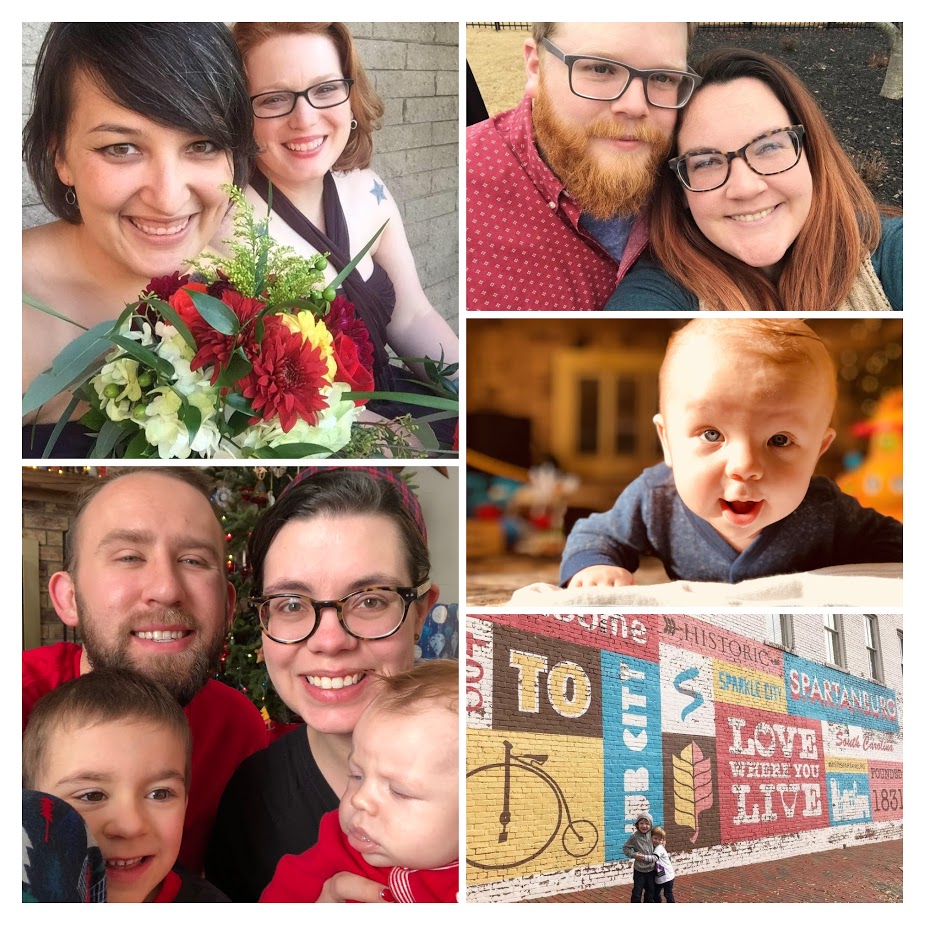
What would a baby announcement be without oodles of cute pictures? Here are 9 photos out of the probably 9000 we’ve taken 🙂
A change of scenery for the Mallards
This was also a year of big change for my (Josh writing now) family. We finally sold our home in Georgia and have embarked on a new adventure in South Carolina! We’ve landed in a 100 year old mill converted into lofts in Spartanburg, South Carolina. It’s a beautiful and creative space with an awesome community. My 5 year old loves meeting new people everyday on the elevator and talks about how he loves his new apartment better than his “boring house”. This area is a great hub being within an hour of Greenville, Asheville, and Charlotte and a great spot for launching some memorable weekend adventures.
We’ve been here only a couple of months and have met some wonderful people, great organizations to get the kids involved, as well as found a great church community we look forward to getting more invested with.
Growing our persistent team
As many of our clients may have noticed, our team has been growing a little bit in 2017 as well. This year has been hectic that we shamefully let our newest team member, Elizabeth Copeland, get settled without making a big announcement to the world here. Her official job title is “Project Manager”, a role which she has filled wonderfully, but she wears many other hats including designer, developer, and Blake & Josh wrangler. We really look forward to continuing to work with her in 2018!
Additionally, we’ve also had the pleasure of working with several new designers and developers this year to help us bring your projects to life. We can now say that our clients sites have been crafted with love in California, Georgia, Michigan, South Carolina, and Texas.
Focus for 2018
As we look forward to 2018, we’re focusing on our commitment to “doing great work for awesome people”. Our biggest assets at LimeCuda are our awesome clients and the unique relationships we have with each of them. We love working with cool people on projects and passions that we can support and stand behind. If we can add value in those scenarios, we want to find a way to make it happen!
Your domain name is a CRITICAL and hard-to-replace component of your web presence. Take steps to make sure you don’t lose it!
It seems like a great time for a Public Service Announcement. We’ve recently helped several clients work through some really messy situations where they almost lost their domain names. It is no fun I promise! But, it can be avoided!
If you lose control of your domain name you are at risk to lose:
Your current website being accessible on that domain name
Any rankings, SEO value, or links pointing to it
Any email being sent to it
Worst yet, someone could scoop the domain name and redirect to a different site or put up something nefarious
First, what is a domain name
Obvious right? A domain name is your address on the web, like limecuda.com or google.com
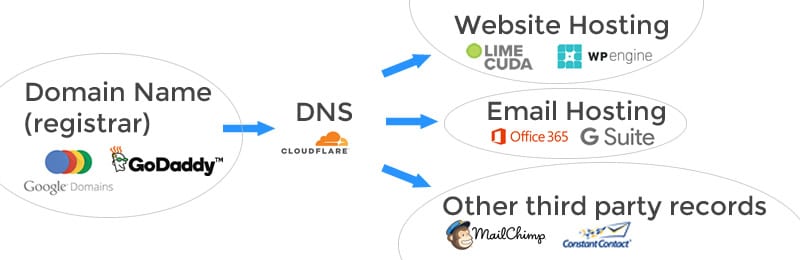
A domain is bought at what is called a “registrar” and has a yearly renewal fee. It can be confusing because the registrar may also provide website hosting, email hosting, and other services all wrapped into one. Sometimes the DNS is controlled at the registrar or at the webhost. However, they can be all separate services and look like for example…
Some common registrars are GoDaddy (we use and recommend), Google Domains, Hover, register.com, Network Solutions (avoid if possible), and NameCheap,
How to prevent losing your domain name
These are the most common issues we bump into…
The email address connected to the registrar account is one that isn’t often checked or is using the email of a former employee
The credit card has expired
The domain isn’t set on auto-renew
You didn’t realize you were paying for a domain name with that vendor (it is confusing as there is also sometimes separately: website hosting, email hosting, and DNS)
Have in writing what legal entity or person owns the domain name
Alternatively, we’re happy to purchase / hold domain names on your behalf. This is a courtesy service (with a minimal fee to cover our cost) and means the domain is extremely safe and secure in our account. Whatever the route you choose, please treat your domain name like your birth certificate or some other irreplaceable document.
What to do if you’ve lost your domain name?
First, depending on the registrar you were using, there may be a grace period. GoDaddy is especially generous here while Network Solutions extorts you with a massive fee. Call up your registrar immediately and see what your options are. If someone has already scooped up the expired domain you may be able to negotiate them selling it back to you. I recommend using a service to negotiate on your behalf. There are lots of scammy domain squatters out there.
You may need to look for a replacement domain. Migrating email and website hosting to it will be painful but at some point it may be your only option.
Don’t lose that domain name! Please contact us if you want to chat through your options.
The 5 Key Aspects of Enterprise WordPress Hosting & Maintenance
Enterprise websites are never “set it and forget it” properties. They need to be regularly backed up, monitored, updated, and maintained.
Use this post to do an audit and determine if your site is on stable ground.
There are many great solutions out there. We carefully tailor a hosting setup for each client that involves sometimes dozens of tools working in harmony to create an optimal hosting and maintenance setup for WordPress.
1. Hosting Security
It all begins with a properly architected server setup. This is basic – just like having deadbolts on your doors and locking your windows.
The biggest security risk in WordPress is not having the codebase updated to the latest versions. This includes the WordPress core, plugins, and the theme. In recent security reports, the majority of WordPress-related hacks are due to sites using outdated versions of WordPress or outdated plugins that have had vulnerability patches publicly available for well over a year.
We use site management tools that let us update all our client sites at once and within minutes of a security patch being released.
3. Regular Site Maintenance
In this case, for “maintenance” we’re not referencing retainer-type work where active feature improvements are being made to the site. Think of maintenance as the aforementioned regular updates being performed but with a careful eye to making sure the site keeps working as it should.
Conflicts are pretty rare but in an enterprise-context, a key feature failing could mean serious lost revenue or at a minimum a black eye on the brand reputation.
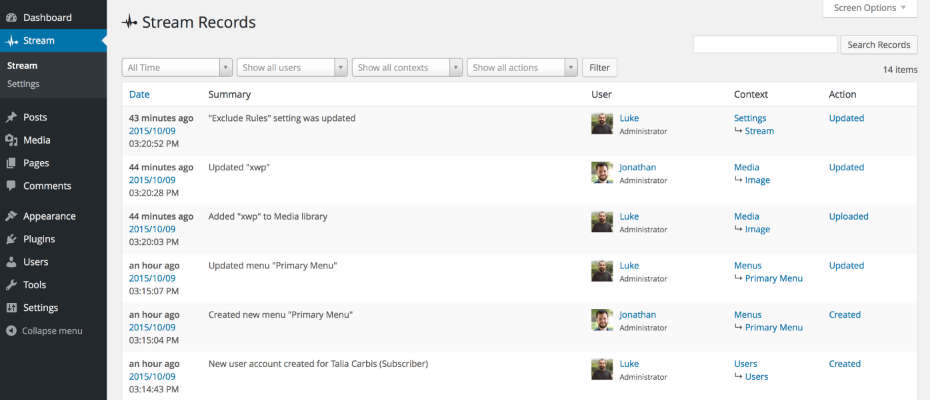
We use a brilliant plugin called Stream that is basically a black box for WordPress. It records all the stuff that happens on the backend of the site. This is really useful for tracing back what went wrong. It let’s you see who-did-what-and-when.
Scheduled and Quality-Assured update intervals
A security update should usually be applied immediately. Non-critical updates and feature releases are better applied at set intervals (like once a month or every two weeks) That way these can be done on a staging site, or when the site has low traffic. Once a batch of updates is applied it is then efficient to go through an extensive QA list to ensure the sites look and functionality is still perfect.
Tip: Do you have a staging area that you’re able to test your plugin updates to make sure everything is going well before running those updates (or migrating your staging) on live?
4. Site Backups and Restoration
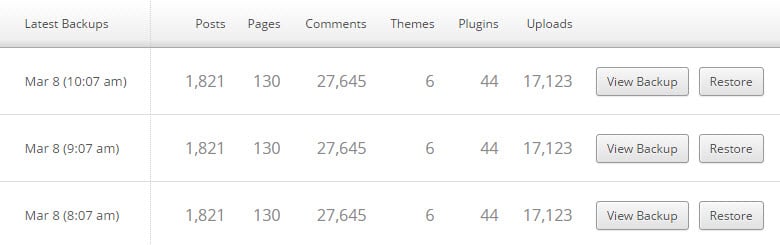
Regular, full, off-site, and redundant backups need to be maintained with the ability to restore a site at any point in time.
If something ever goes wrong you need a quick way to restore!
How often a site is backed up will be dependent on the type of site you’re hosting. For example, a corporate blog with daily posts would probably be adequately served by a daily backup. However, a high-volume, e-commerce site really needs a real-time backup solution to protect a complete list of customer transactions.
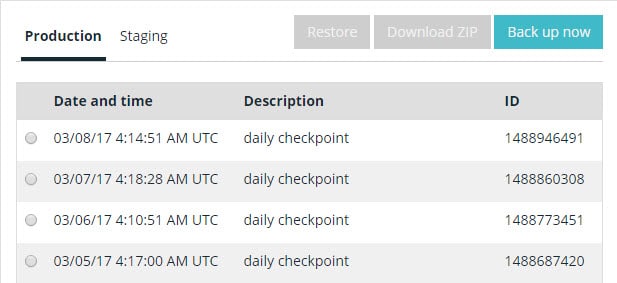
We use a couple backup solutions but at a minimum we utilize WPENGINE’s daily automatic backups.
VaultPress has a great real-time backup feature for business-critical / E-Commerce sites. Additionally there is constant malware detection and this is a sweet deal.
5. Keeping a close eye on the website
For enterprise websites on WordPress, there are four types of monitoring:
Uptime monitoring
Security monitoring
SEO / Analytics
Performance / Speed
Uptime Monitoring
For uptime monitoring, the aim is always 100% uptime. But we live in a very complicated world with many moving parts and human error. (see recent Amazon S3 downtime due to a wrong keystroke)
Uptime Robot is a good monitoring tool that lets you send alerts to emails, texts to phones, RSS, updates in Slack, etc.
There are tons of great tools and ways to do this. (Google Analytics of course) Analytics and traffic measuring tools can also be used to alert you to all kinds of problems with your site being down or having malware.
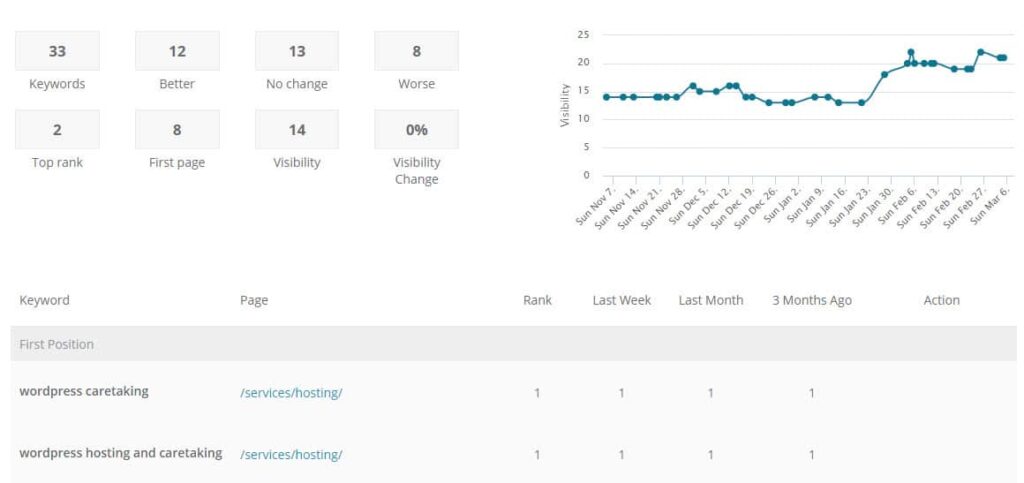
Being able to see keyword rankings can also be key to monitoring the site’s ongoing success.
Performance / Speed
It isn’t enough to know that your site is up – it also needs to be loading quickly! We have alerts to head off any issues if a site starts loading sluggishly.
WordPress can be a great tool for enterprise needs but it must be hosted correctly and properly loved! Have a question or something to add? Comment below…
Wow! 2016 flew by! It was an awesome year for LimeCuda. We are grateful for so many wonderful clients and fun projects – we’re truly blessed. Like many businesses, the early months of summer were uncommonly tough sales-wise. And we’re fighting hefty health insurance hikes. But overall, 2016 has been our best year in terms of finding better tools, processes, and taking care of business.
Let’s take a trip back over 2016 and see what happened…
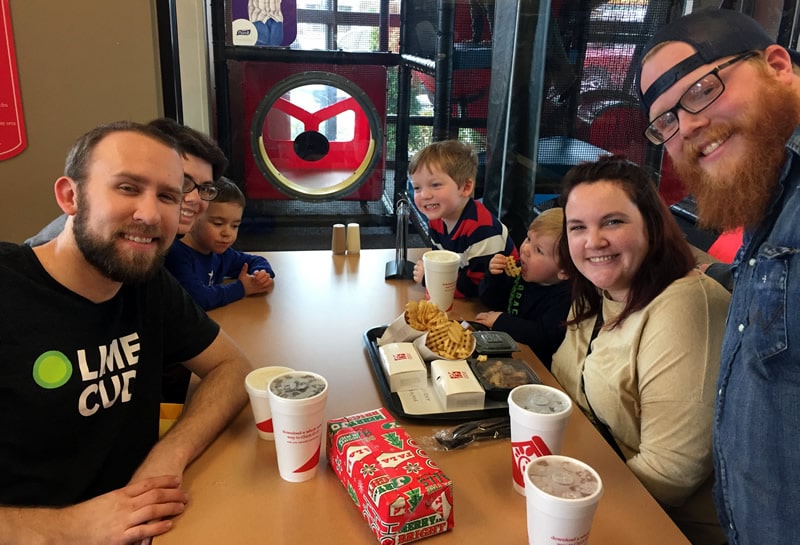
The Imeson and Mallard families meeting up for some chicken at a Chick-fil-a in Atlanta
Blake Imeson’s 2016 Story
Our family is now quite settled in Williamston, Michigan and mostly through with remodeling our house. We’re all deeply in love with the seasons of Michigan. Winter can be a bit long and gray but there are ways to break it up. We took two large family road trips to the South and back.
Our son is now 3 years old and is a hoot. He can name every two dimensional shape for you from a quatrefoil to a decagon… I somehow got my wife hooked on one of my great loves: buffalo hot sauce. I’ve been expanding my taste palette with sour beers and barleywines – Michigan is tops in the US for craft beer.
I finally gave my personal blog a fresh coat of paint and started publishing some posts. One of my new hobbies is fiddling with “Smart Home” technology – because who doesn’t want to get a text every time their fridge opens 😉
Josh Mallard’s 2016 Story
I almost died… I spent a few years with the most unhealthy of life and work habits that took a toll on my body. One day, late in March this year, it all caught up with me. You can read more about that story here.
Since then, I’ve learned how to maintain a more healthy lifestyle and am learning how to establish a manageable work/life balance. I’ve been rejuvenated like I haven’t been in a while and even had the energy to nag Blake into submission on the vision for a new brand for LimeCuda this year (see below) :).
Professionally, I’ve spent the remainder of the year building my technical skills through online courses, regular “playing around” with new technologies and ideas, and pushing forward on a few of the many plugin ideas that we’ve been toying with internally.
Personally, I’ve spent the year watching my boys grow up way too fast! It is sad to see them growing up so quickly but also exciting to experience these new phases of life.
I’ve also gained a new appreciation for yard work. Our yard was disturbingly overgrown when I first bought our house. I did a little work over the years but really only focused on having a few usable areas. Now, the process of clearing the brush and cutting down dead trees is actually one of the most relaxing parts of my week! There is something extremely satisfying about reclaiming our yard and envisioning all the new ways our boys can enjoy it once it’s all cleared.
LimeCuda
We got to know some truly wonderful people and are happy to also call them new clients…
Josh created a plugin for Gravity Forms that lets you add a download gate to get a whitepaper or other resource. This means that a visitor to your site will be required to complete a form of your choosing before being able to access your downloadable resources.
TECHNOLOGY
Secure All the Things!
2016 is the turning point year for websites being secured HTTPS (SSL / TLS). We’re now solidly in the era when all sites should be encrypting their traffic. The new free option of “Let’s Encrypt” makes SSL more readily available. If you haven’t moved to HTTPS yet, let’s talk!
WordPress Growing and REST API
WordPress now has a REST API. With this addition, we enter a new era of flexibility for the platform.
WordPress is being run on over 27% of the entire web and more than 60 percent of the top 100 sites on Inc.
Accelerated Mobile Project / Facebook Instant
These super-fast ways to load sites on mobile have hit maturity. Still really only applicable to content publishers but it has begun to shake up search results and impact user expectations.
On to 2017…
We have some exciting plans for 2017 (seriously!) and better serving you, our clients.
One of the greatest rewards for our efforts is seeing them actually help you run your businesses better, gain new customers, and help the web parts of your businesses turn from drudgery to fun!
So cheers to 2017! We’re hoping, planning, and praying it is going to be awesome!
I really like the idea that you offer to train people in WordPress, I am a fan of the “teach a man to fish” philosophy. How does this work at LimeCuda, is it online tutorials?
Glad you caught that, it is actually a super core part of our philosophy. Part of why we got into WordPress specifically is that it is a perfect rebellion against being beholden to some cranky code monkey if you wanted to make changes to your site. WordPress totally changed what marketers were able to do on the web.
This is LimeCuda’s first major foray into the Premium WordPress plugin/extension market. We’re very excited!
So what does this do?
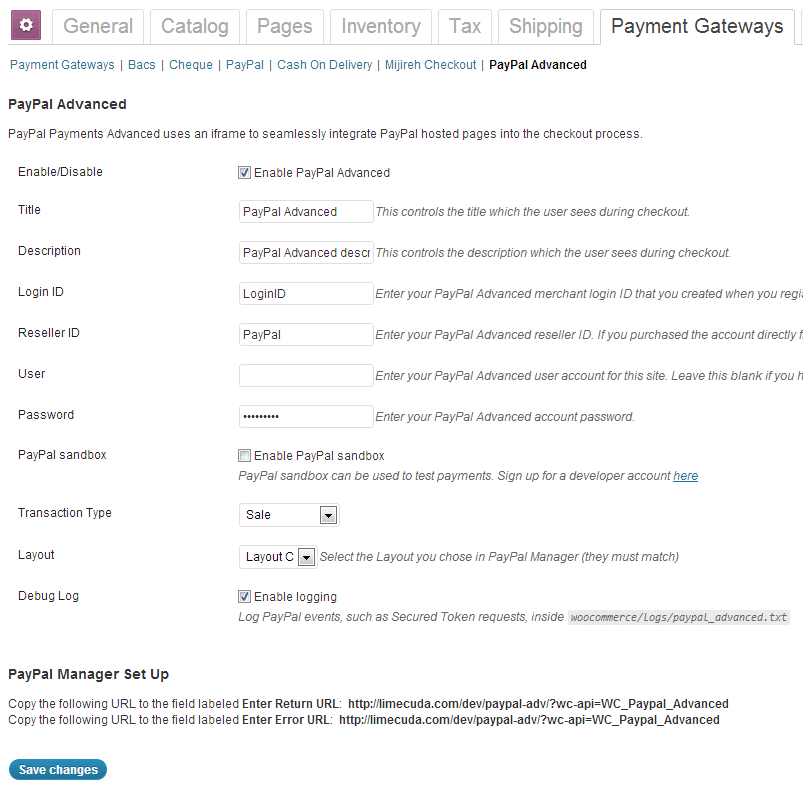
WooCommerce PayPal Advanced
This plugin combines two essential elements of an eCommerce cart checkout:
a merchant account
a payment gateway
It does all of this while keeping customers on your site for the entire checkout experience. This means the user has a unified, branded experience throughout the entire purchasing process.
Key Features:
Unlike most on-site, seamless gateways this is only $5/month. Most cost at least $30/month whether you sell anything or not. (The cost can be this low cause PayPal has put their BillMeLater and PayPal Express checkout options along with it)
Simpler PCI compliance. Doesn’t require an SSL certificate (although it is recommended for higher user trust)
Works by using an iFrame to contain a checkout page hosted by PayPal
Those clients that host their sites with us, your lives just got ever-so-slightly better. We recently upgraded the LimeCuda dedicated servers to the latest version of WHM/cPanel. This is the software that runs on the hosting side of things and makes it much easier to manage the technical aspects of your site.
Without dragging you through the boring details just know that this means better security, improved usability, and a beautiful new interface.
Never used cPanel? Here are some of the ways it can be used…
Creating webmail accounts (unless you are using Google Apps for Domains as email)
Create subdomains
Create redirects
Edit DNS
Create MySQL databases and edit them with phpMyAdmin
You can log in at yoursite.com/cpanel – so basically just add a /cpanel to the end of your domain and you should be presented with this screen:
Nota Bene: Just because you can access this, it might not be a good idea to just change things unless you know what you’re doing. When in doubt check with us and we can give you some direction. 🙂
Have a question about our WordPress hosting or using cPanel? Give us a call at 724-870-4742
The new Facebook Timeline layout is launching for fan pages! Are you ready?
We’ve been busy helping clients move to the new design. If you want to have a go yourself, check out the below links. Here is a particularly helpful one that has the dimensions for the new images. We switched the LimeCuda fan page over last week. Do you have a favorite example of a new page?
The following collection of links is brought to you courtesy of the social media savants at Marketing Savant
Top Ten Changes for Brands on Facebook Timeline [Envano] Our friends at Envano (local to Green Bay) put together a nice concise post with screen shots that walks you though the finer points of Timeline.
Facebook Timeline – 5 Strategies for Business Success [Ressac] This is a quick post but it has a few ideas that go beyond the technical and tactical of how to “cope” with Timeline and gives some ideas on how to really leverage it to tell your brand story. I like the idea of “getting your brand history” in order like the way the New York Times has done when the put a post on their timeline stating they were founded in 1851. Very cool!
E-Books, PDFs, Downloads [PDF or registration links below]
Facebook Timeline for Brands: A Marketer’s Guide [Virtrue] Virtrue put together a great 13 page deck on the technical aspects as well as some of the more innovative ideas that marketers can employ to leverage Timeline.
Facebook Timeline Tip Sheet [Eric Mower + Associates] We always like the EMA work and like the tidy tip sheet they put together on Timeline. Good stuff and simple.
Step-by-Step Guide to New Facebook Business Page Timelines [HubSpot] Of course, HubSpot has a great guide on Timeline. It’s the granddaddy guide of them all with 31 pages (some of it’s HubSpot propaganda) of insights, ideas and tips you won’t see anywhere else.
Here’s a quick Facebook Timeline Pinterest Board that Marketing Savant put together on their Pinterest page that links to some of the better infographics, guides and resources that they’ve found for Timeline.
With party favors, celebratory drinks, and pin the tail on the donkey (yes to all but the last) we welcome Josh Mallard to the LimeCuda team.
Who is this Josh Mallard?
Josh and Blake have been friends for nearly 10 years and have worked together previously on and off the web. Josh has been doing web design for several years, with the majority of that time spent juggling web design and a full-time job as an accountant. After starting and running his own company full-time, Josh quickly realized the need for collaboration. Joining LimeCuda was a natural fit and Blake and Josh both look forward to how the collaboration will push them professionally and creatively.
Josh lives in the Atlanta area, plays the drums, has a wonderful wife, and a black lab. Josh is super-creative and likes to push the limits of design.
How will he fit in at LimeCuda?
The specialties that Josh brings to LimeCuda… creative eye, proficiency with Adobe CS5 (Photoshop et al), a diversity in design approach, and an insider’s understanding of the accounting, photographer, and artist niches.