Cross-Posting Your Blog Content on LinkedIn or Medium

LinkedIn and Medium can be great audience-reaching platforms… but you may already be publishing great content on your own website. Should you Cross-Post the same piece on both?

cross-posting

Any Linkedin member can self-publish a piece of content that gets exposure in LinkedIn’s system. Same goes for Medium; people love it for its easy-to-use interface and platform exposure.

What is Cross-Posting?

Cross-Posting is simply taking a piece of content and publishing it on two separate sites or platforms. Could be a great way to get your wise words in front of a bigger audience.

Keep in Mind with Platform Posting…

Will it Rank? (Search Engine Optimization)

If you are going to cross-post you may want to think about the potential for ranking in Google. Decide if ranking is key and if it is then how you approach posting needs to be strategic.

There is no Google penalty for duplicate content. However, certainly the piece Google views as a copy or less authoritative will have a harder time ranking. Definitionally, both posts are competing against each other as well.  Ironically (and irritatingly), when researching for this post I stumbled on an article posted on several different platforms.

Analytics and Tracking are Minimal

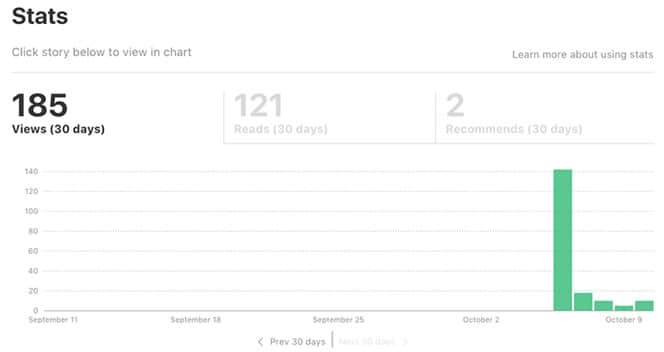
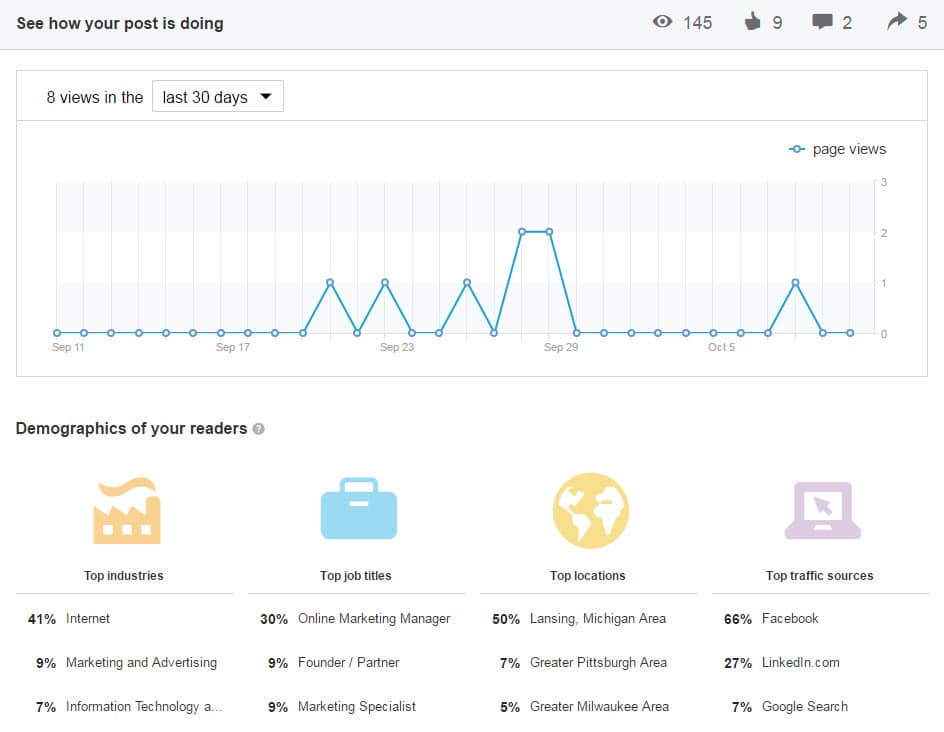
When you post on LinkedIn or Medium you get precious little in terms of analytics.
linkedin-analytics-blog-posting
medium-cross-posting-analytics

May Limit Strategic Site Goals

If a reader is on LinkedIn or Medium, they aren’t on your site! Your ability to keep them navigating around and digging deeper is limited to the content within the post. The navigation, related articles, distracting ads… they’re all the platform’s, not your site. You’ll also need to decide which post you share and promote on other Social Media like: Twitter, Google+, and Facebook.

Your Network Has Power

If you have hundred of followers on Linkedin or Medium then it is likely the content will get some love. If you have a minimal network you could just be shouting into the abyss. If the piece is well-written and considered worthy it could even get promoted to LinkedIn Pulse or Medium’s Editors’ Picks.

5 Tactics to Cross-Post Correctly

1. Time-delay the Second Posting

Delay the second posting. Perhaps by a week or two. This will give Google a bit of time to find and assess the first post and clearly understand that it came first in time.

2. Link to the Other Post

Towards the beginning or the end have a line that says something like “This post originally appeared on…”.

I like to use italics and have some keywords linked. e.g

This article Your Obligation to People Visiting Your Web “House” was originally posted on LinkedIn.

3. Rewrite and Reuse

If you take the post and rewrite it sufficiently it may be seen by Google as unique content. You could perhaps tailor each post to the audience and platform.

It’s a great idea to rewrite the title and the content to target a slightly different keyphrase.

4. Give an Excerpt

You may want to use the secondary posting as a teaser to drive traffic to the first. You could put half of the article on LinkedIn for instance and give a link at the end to keep reading on your website. Give away enough good thoughts to keep them interested and coming to your site.

5. Use Your Blog’s Canonical Tag

If you’ve decided to let the LinkedIn post be the Search Engine golden boy then set the canonical tag for your own site’s post to be the LinkedIn post’s URL
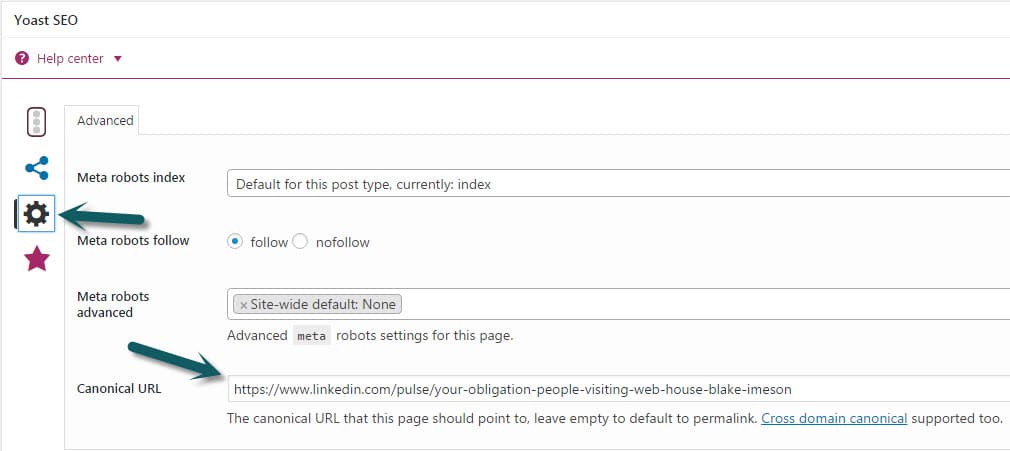
linkedin-canonical-seo-tag

My Recommendation for Cross-Posting…

Cross-Post in moderation. Some pieces will work really well on a secondary platform and some will not. For LinkedIn it seems to me business-related pieces of a more philosophical or anecdotal nature do really well.

If ranking is important, my preference would be first publishing to your own website and then waiting to publish on the platform with a link to the original post.

Is Your Lack of Social Media Presence Costing You Customers?

Whether you like it or not, your Social Media web presence is a core part of your business. It is one of the most publicly visible components of your business that many current and potential customers will encounter. It is often even their first impression!

This is the case even if you aren’t active online. A company in our industry recently faced serious speculation whether they were a “going concern” due to their lack of Social Media and blog engagement.

As a company, you could be completely healthy and providing amazing service to your existing customers. However, if you aren’t engaged within the avenues first encountered by your potential customers, you could appear to be an unhealthy or dying company.

Have existing Social Media profiles?

Do you have existing Social Media profiles? If so, ENGAGE!

Potential customers will see these profiles. Don’t be afraid of potential negative reviews here, all reviews can and should be treated as valuable feedback. It can seem bad for these negative reviews to be plastered on such a public avenue, however you do have complete control in how you respond. Our counsel would be to allow negative reviews (within reason) and respond to them positively while maintaining the high ground.

According to the article “Handling Haters: How To Respond To Negative Online Reviews“:

Most customers won’t write you off based on one negative comment. Many, however, will gain respect for your business if you respond to the comment in a pleasant and helpful way.

Don’t allow the potential for negative reviews to prevent you from engaging on Social Media. See it as a bigger opportunity to make your company more appealing to the potential customers that have stumbled onto your profiles.

Don’t have existing Social Media profiles?

Think you can bypass some of this by just hiding away and avoiding Social Media completely? Nope! Facebook and others have made sure that’s not an option for you.

Hiding behind computer like hiding from social media

How’s that? They’re called unmanaged profiles. Users can “check-in” to your business and if there isn’t an existing profile, Facebook will create one for your business. Google Local and LinkedIn have similar tactics.

Take control of these pages and ensure your business is properly represented. If you blog you can even hook your posts to automatically be shared on Social Media.

What story is your web presence telling potential customers?

Take a second and put yourself in the shoes of a potential customer… Google your business.

What comes up? Are there customer reviews you’ve never seen before? Are there angry customers that you could’ve easily appeased but have now been left to linger and paint a negative picture of your business for the world to see? Can you respond in a frank and upbeat manner?

As always if you disagree or have a great anecdote related to using Social Media we’d love to hear! Comment below or drop us a line.

New Facebook Timeline, What You Should Know

The new Facebook Timeline layout is launching for fan pages! Are you ready?

We’ve been busy helping clients move to the new design. If you want to have a go yourself, check out the below links. Here is a particularly helpful one that has the dimensions for the new images. We switched the LimeCuda fan page over last week. Do you have a favorite example of a new page?

timeline

The following collection of links is brought to you courtesy of the social media savants at Marketing Savant

Blog Posts & Articles

E-Books, PDFs, Downloads [PDF or registration links below]

Templates & Guidelines

Bonus

  • Here’s a quick Facebook Timeline Pinterest Board that Marketing Savant put together on their Pinterest page that links to some of the better infographics, guides and resources that they’ve found for Timeline.

New eBook Released! (Fan Page Exclusive)

LimeCuda just released our first eBook *drumroll*… The Internet Demystified: 8 Essentials to Getting Your Business Online.

A lot of time was spent on this to make very helpful for someone who wants to take a more “Do It Yourself” approach when starting their businesses’ web presence.

The Internet Demystified takes you through the first few steps of starting a website.

limecuda-facebook

To download it just become a fan of our Facebook Fan Page.  (you can always un-fan after you have the eBook)

Enjoy!