The Purpose of a Website or: Why Your Site Might Fail

Fair warning, this is a philosophical post.

It’s also a very important post that could have consequences if you have not also philosophized about your site’s purpose. 🙂

When we chat with new clients to get to know them, their business and what the web project entails, we are often struck by how many have not asked themselves,

“Why do I have a website?!?!?”

This seems like a stupidly simple question but it is not.

Often this question has very different answers depending on the business and their industry.

It could be…

  • As an online brochure
  • To allow customers to interface with them online
  • Showcase products
  • Highlight expertise

…And a myriad of other possibilities. But in the end, the reason for a website is probably not dissimilar to the purpose of a business (from Peter Drucker)…

To find and keep customers

If we apply that to a business’s web presence then your web efforts need to help you find and keep customers. Or from an Inbound Marketing perspective, help your customers find you!

Ask yourself:

  • Is my site findable to my audience?
  • Am I able to monitor site traffic from that audience?
  • What is the goal I have for that audience? (the conversion question) [hint: could be sending you a message, picking up the phone, subscribing…]

The answers to these questions will guide what your site looks like, what functionality it needs to have, and what tools like blogging and social media you really need.  Don’t get online just because it is fashionable. Have a purpose and a goal for it to help your business.

Ancient Chinese Web Proverb: “If you have no goals, results, or plan for your site…they are sure to be answered”.
Questions You Need to Ask Your Web Designer / Developer!

Christina, an awesome SEO from the fantastic internet marketing firm, LunaMetrics, just wrote a really fun and poignant post on questions to ask a web designer.

Sign #1 That Your Web Designer Knows Bubkus About SEO:

During the web designers sales pitch, you say “I’m concerned about the Search Engines’ ability to access and properly index my site. Consequently, I’d like to know what kind of code you’ll be using to render the major design elements of my site.” and they answer:
a. Flash
b. Javascript
c. It doesn’t matter
d. I am be coding very well, it’s ok.

Read the rest…

5 Signs Your Web Designer Knows Nothing About SEO

Search Engine Optimization for Beginners – Learn SEO

As a small business owner you often will want to learn things in order to give your business the best chance to succeed. SEO is one of those things that can with some effort you can understand and grow your traffic.

If you read only one thing about SEO, read this guide from SEOmoz. They are the most highly respected SEO firm and educator. If you want more, read this 3 part series from Hongkiat.

[arrowlist]

[/arrowlist]

Remember that SEO alone won’t make you succeed. What SEO gives is traffic. That traffic must be the right kind of traffic and you must be able to convert that traffic.

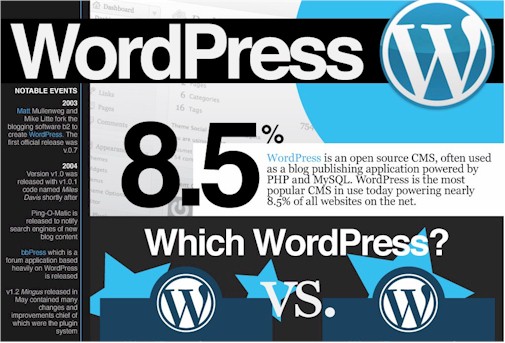
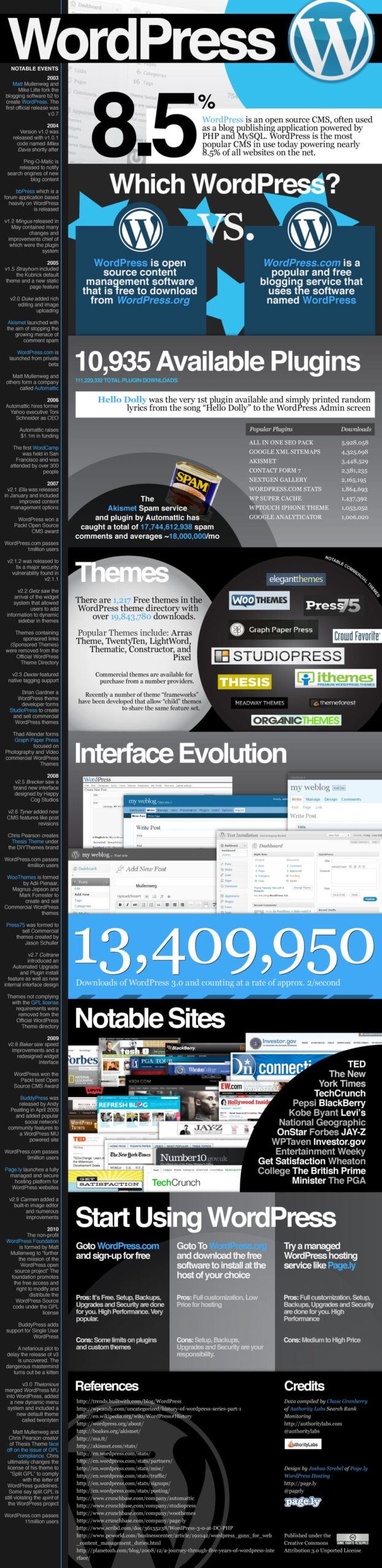
WordPress 3.0 released. Upgrades on the way.

Quick note that the latest version of WordPress has been released.

For our clients who are running WordPress look to be upgraded in the next week or two.

We have been running the 3.0 alpha, beta, and release candidates on the LimeCuda site for a few months now and haven’t had any real issues and love the new features.

Only minor compatibility issue so far is with the Page Management Dropdown plugin not working but that is minor and just a minor backend tweak we like to use.

F or Z Pattern in Web Design?

Ever notice that you read things differently online than you do with offline reading material?

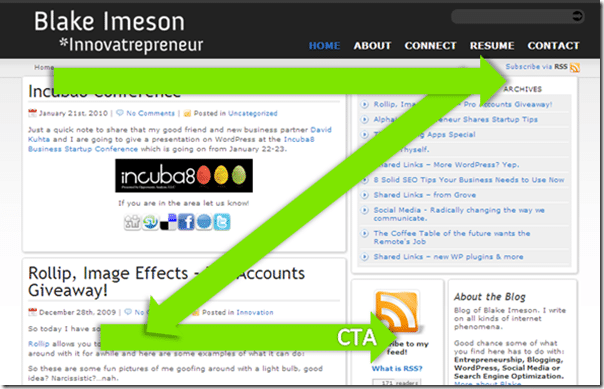
Usability experts have traditionally seen the way people scan a web page as going in a “Z” shape with the end being a Call To Action.

Z pattern reading

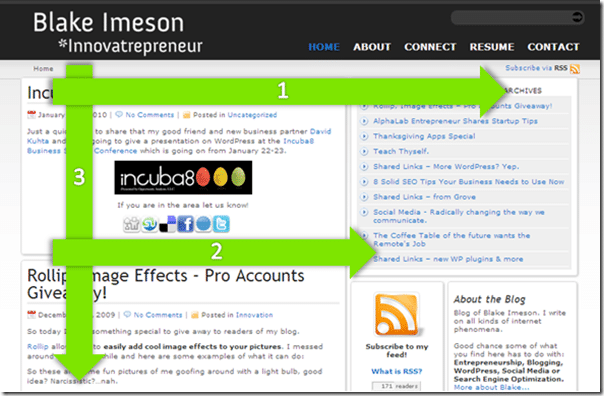
The latest research using eyetracking and heatmaps shows that this may actually be more in the shape of an “F”.


F pattern reading

While this is just a guideline for how people scan, it is a good idea to keep it in mind when placing your CTAs for highest conversion.

Takeaways

[arrowlist]

  • Use titles
  • Bold important text
  • Use lists

[/arrowlist]

Remember, people do not read everything you write on a page. Stick the most important information early in the paragraphs.

…because people read differently, you have to write differently. ~ Jakob Nielson

Resources:

[arrowlist]

[/arrowlist]