WooCommerce PayPal Payments Advanced plugin


PayPal Advanced

Introducing the PayPal Payments Advanced plugin for WooCommerce.

This is LimeCuda’s first major foray into the Premium WordPress plugin/extension market. We’re very excited!

So what does this do?

WooCommerce PayPal Advanced

This plugin combines two essential elements of an eCommerce cart checkout:

  1. a merchant account
  2. a payment gateway

It does all of this while keeping customers on your site for the entire checkout experience.  This means the user has a unified, branded experience throughout the entire purchasing process.

Key Features:

  • Unlike most on-site, seamless gateways this is only $5/month. Most cost at least $30/month whether you sell anything or not. (The cost can be this low cause PayPal has put their BillMeLater and PayPal Express checkout options along with it)
  • Simpler PCI compliance. Doesn’t require an SSL certificate (although it is recommended for higher user trust)
  • Works by using an iFrame to contain a checkout page hosted by PayPal
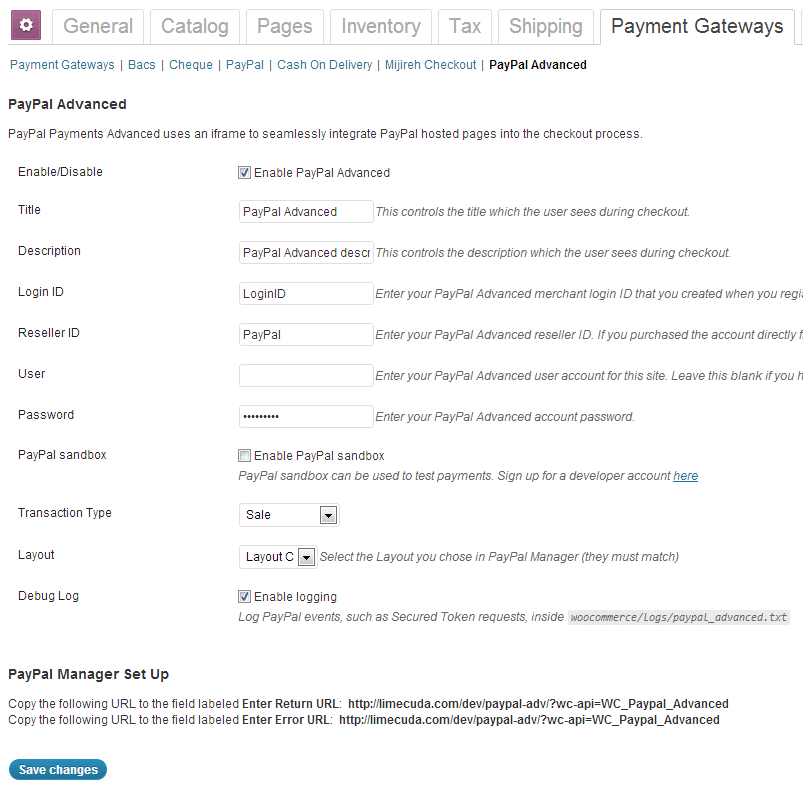
PayPal Advanced WooCommerce settings

Links

Configuring WordPress SEO Plugin on Posts + Pages

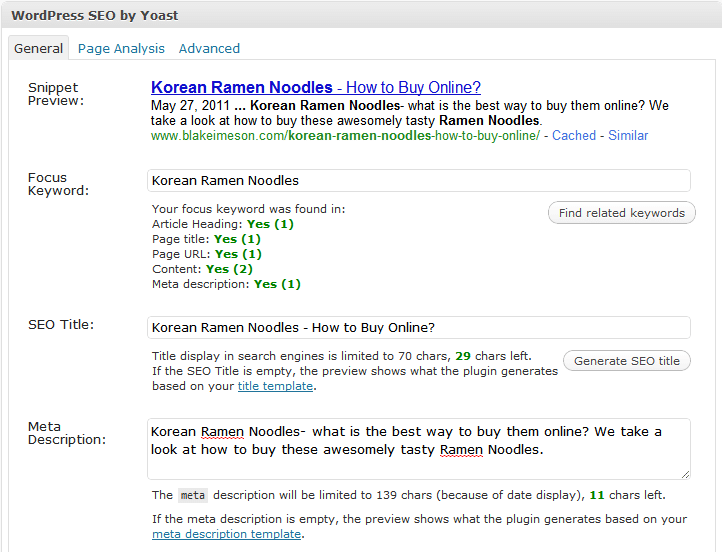
Watch as I quickly go over how to use the powerful WordPress SEO plugin by Yoast on my posts and pages.

We’ve tried many SEO plugins but none are as robust or perfect as this one by Yoast.

Learn how to use it when editing your WordPress Posts + Pages:

I’ll leave you with a couple thoughts (some were in the video)

SEO Title

[arrowlist]

  • Highest value keywords should be towards front of tag
  • Having a longer title with many keywords dilutes the strength of each keyword
  • Use separators like: | – > <
  • The default auto-generation on global settings page. I use %%title%% or %%title%% | %%sitename%%

[/arrowlist]

SEO Description

[arrowlist]

  • Has little SEO value but terms the user searches get bolded
  • Needs to entice the searcher to click thru

[/arrowlist]

Focus Keyword

[arrowlist]

  • Only for your own internal use
  • Only put one keyword/phrase
  • Use this to remind you of where you can naturally use your keyword

[/arrowlist]

Other

[arrowlist]

  • Use /%postname%/ for your permalinks (Settings>>Permalinks) or if concerned about speed and having many posts: /%post_id%/%postname%/
  • This plugin also generates XML sitemaps that you can submit to Google Webmaster Tools
  • Download plugin

[/arrowlist]

Have questions? Send us a message or comment below!